
How to do your Polymarket taxes with Koinly
Polymarket is a prediction market platform where users trade shares based on the outcomes of real-world events.
If you are trading on Polymarket, you likely have a tax bill. Upload your Polymarket transaction history to Koinly to calculate your crypto taxes.
Finding your Polymarket Wallet address
Follow these steps to find your Polymarket Wallet address:
Select your profile icon in the top-right navigation
Select the copy address icon next to your name
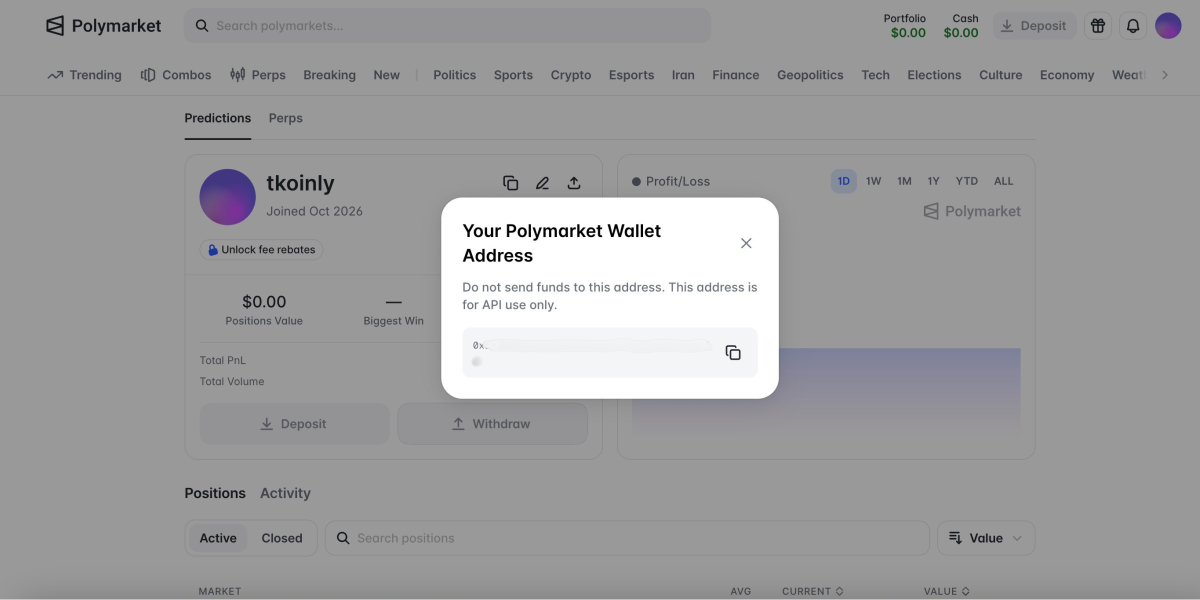
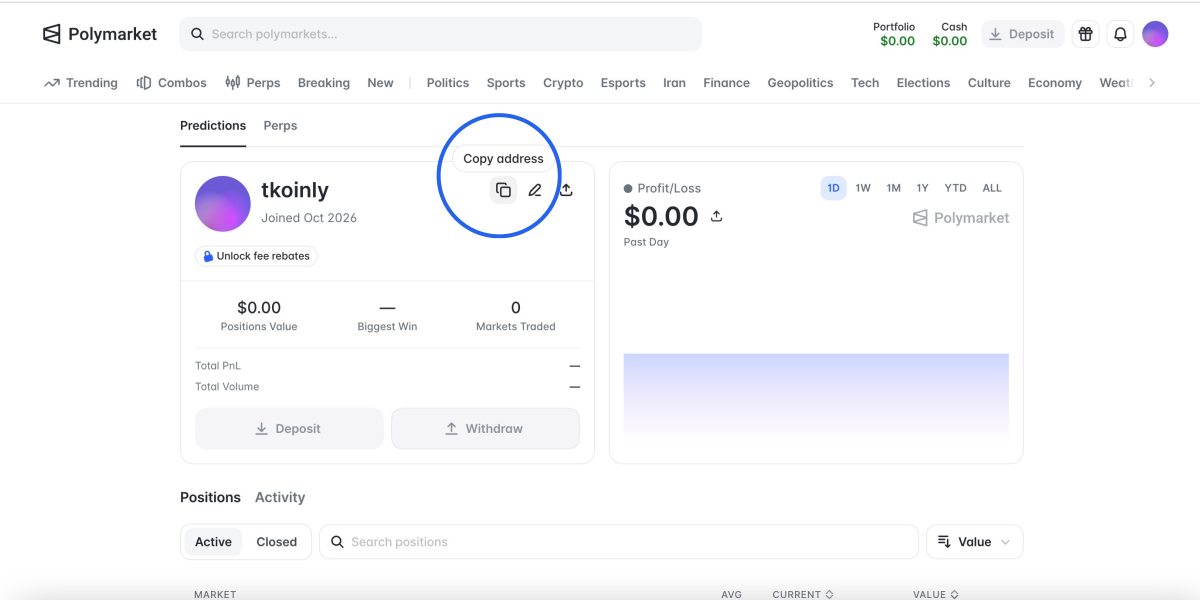 3. There should be a pop up with your address (starting with '0x***') and you can copy it directly from there
Follow these steps to sync your Polymarket data automatically to Koinly:
Sync your Polymarket trades using your address (it starts with 0x***) - you can find it by clicking on your profile picture and in the Settings on polymarket.com
Polymarket is de facto a Polygon wallet, so if you already added it as a Polygon wallet, you don't need to add it as Polymarket.
On Koinly:
- Create a free account on Koinly
- Complete onboarding until you get to the Wallets page and find Polymarket in the list
- Select API > Paste the public address/key you copied above in the appropriate box
- Hit Import and wait for Koinly to sync your data. This can take a few minutes
- Review your transactions on the Transactions page to ensure everything is tagged correctly and no missing data
- Go to the Tax Reports page to view your tax liability!
- Head over to our help center
- Hit up our discussion boards - we might have already answered your question
- Ask us on social media - we're on Twitter and Reddit
- Contact us on email or live chat
- Got a feature request? Give us feedback on Canny
FAQs
What is Polymarket?
Polymarket is a prediction market on the Polygon blockchain where users can bet on real-world events, including elections, sports, or pop culture. Every market has a yes/no outcome, and users trade shares between $0 and $1.00. Odds are dictated by price; for example, if a Yes share trades at 20 cents, there is a 20% probability of the outcome happening.
Is Polymarket legit?
Polymarket is a legitimate platform; however, it has been restricted in some areas, including the UK, Brazil, Germany, and France. It is a non-custodial platform, so your funds stay in your account rather than being held by the platform. Still, betting comes with its own risks, and Polymarket has also faced criticism with users trying to manipulate market outcomes. It’s always best to DYOR before interacting with any platform.
Where is Polymarket legal?
Polymarket is legal in over 100 countries, including Spain, South Korea, India, Mexico, and Switzerland. In the US, it is legal only through the CFTC-approved Polymarket US app (except in Nevada, where it remains restricted). Polymarket continues to lobby, especially with European Nations, to be reclassified and unrestricted.
Does Polymarket provide tax documents?
No, Polymarket does not provide tax documents. If you are trading on Polymarket, you can use a crypto tax calculator like Koinly to work out what you owe. Just import your transaction history, calculate your taxes, and generate country-specific tax reports.