

Blockpit vs. Koinly
Which crypto tax app is better, Koinly or Blockpit?
Looking for a crypto tax calculator that features everything you need to calculate and report your crypto taxes easily? If you’re torn between Koinly and Blockpit, we’ve put together a simple comparison with everything you need to know about each platform.
| Koinly | Blockpit | |
|---|---|---|
| Free plan | ✔ with all features included excluding downloading your tax report | ✔ with limited features |
| Cheapest plan | $49 per tax year for 100 transactions | $49 per tax year for 50 transactions |
| Payment options | Credit, debit, crypto | Credit, debit, PayPal, Klarna |
| Integrations | 1000+ | 770+ |
| Free portfolio tracking | ✔ | ✔ |
| NFTs | ✔ | ✔ |
| TurboTax, TaxAct | ✔ | ✔ |
| DeFi | ✔ | ✔ |
| Margin trading | ✔ | ✔ |
| Futures, options, and other CFDs | ✔ | ✔ |
| Loans | ✔ | ✔ |
| IRS tax forms | ✔ | ✔ |
| International tax reports | ✔ | ✔ |
| Free tax loss harvesting tool | ✔ | ✘ |
| Expert review | $499 - $1,999 depending on season | ✘ |
Integrations
| Koinly | Blockpit | |
|---|---|---|
| All integrations | 1,000+ | 770+ |
| Supported exchanges | 450+ | 150+ |
| Supported wallets | 220+ | 70+ |
| Supported blockchains | 290+ | 190+ |
| Auto-sync integrations (APIs) | 500+ | 660+ |
Both Koinly and Blockpit have an extensive number of integrations, but Koinly comes out on top with 1,000+ total integrations compared to Blockpit’s 770+. However, this number largely consists of support for DeFi protocols. When it comes to native support for exchanges, wallets, and blockchains, Koinly, once again, takes the lead.
Blockpit has a large number of auto-sync integrations (APIs), but users have commented on the difficulty of their CSV imports. Whereas Koinly users have remarked on seamless CSV syncing, thanks to Koinly’s auto-mapping feature. Dealing with CSVs can be time-consuming in itself, so finding a platform that makes importing CSVs quicker can save you a lot of manual work.
Portfolio tracking
| Koinly | Blockpit | |
|---|---|---|
| Portfolio tracking dashboard | ✔ | ✔ |
| View unrealized gains and losses | ✔ | ✔ |
| Individual holdings breakdown and ROI | ✔ | ✔ |
| View real-time market data | ✔ | ✔ |
Both Koinly and Blockpit function as portfolio trackers, so you can view the overall performance of your crypto investments, as well as individual assets.
In this regard, the two platforms are quite comparable in the detail included on your portfolio tracking dashboard, including a breakdown of individual holdings, your unrealized gains and losses, and an NFT dashboard to preview your NFTs within the app.
All of these tracking features are free on Koinly. To be able to view similar insights on Blockpit, you have to purchase a monthly subscription fee to Blockpit Plus, on top of your free or paid plans.
DeFi, NFTs, margin trading, and derivatives
| Koinly | Blockpit | |
|---|---|---|
| DeFi | ✔ | ✔ |
| Margin trades | ✔ | ✔ |
| Futures, options, and other derivatives | ✔ | ✔ |
| Mining & staking | ✔ | ✔ |
| Lending | ✔ | ✔ |
| Airdrops | ✔ | ✔ |
| NFTs | ✔ | ✔ |
Both Koinly and Blockpit offer excellent support for all types of transactions, including mining and staking, lending, margin trading, and DeFi transactions. Compared to other crypto tax software providers, both Koinly and Blockpit stand out in terms of superior transaction support.
Koinly takes the lead in DeFi, providing support for over 8,000 DeFi protocols, including newer projects. The platform is also better at identifying and automatically tagging your transactions, meaning you’ll spend less time ensuring every transaction is marked correctly. This saves a lot of time for active traders.
Free plan
| Koinly | Blockpit | |
|---|---|---|
| Rich transaction detail | ✔ | ✔ |
| Tax summary preview | ✔ | ✘ |
| Tax loss harvesting tool | ✔ | ✘ |
| Portfolio tracking | ✔ | ✔ |
Both Koinly and Blockpit offer a free plan, but with Koinly, none of the features are locked behind paywalls. The only thing you can’t do with a free Koinly plan is actually download tax reports. But you can still preview your tax summary, including gains, losses, income, and more (excluding Canadian users), as well as utilize features like the free tax loss harvesting tool to simulate your trades.
While Blockpit allows you to import your transactions and use the platform as a free portfolio tracker, many of the features are locked behind a paywall and only available to those with a paid subscription.
If you want to see advanced insights and use Blockpit’s tax optimization tool and NFT dashboard, you have to purchase an additional monthly subscription to Blockpit Plus for $4.99 per month.
Usability and features
| Koinly | Blockpit | |
|---|---|---|
| Easy to use, without compromising functionality | ✔ | ✔ |
| Automatic error detection | ✔ | ✔ |
| Supported transaction types | ✔ | ✔ |
| Transaction filters | ✔ | ✔ |
| Customizable tax settings | ✔ | ✘ |
Both Koinly and Blockpit make it easy to navigate your transactions through filtering and tagging, and identify any import errors with automatic error detection.
Where Koinly stands out is its user experience. Koinly is better at identifying and automatically tagging the majority of transactions, including filtering out spam airdrops, saving you from hours of cleaning up your data. Blockpit, however, requires more manual work when importing blockchain transaction data.
Koinly also offers more control to the user. While Blockpit has customisable tax settings in some countries, this support is not extended to the US, the UK, and several European countries, even when filing with a different cost basis is permitted. When it comes to tax settings on Koinly, you can approach your taxes as you and your accountant see fit: changing multiple settings and adjusting the cost basis to suit your tax situation.
Customer support
oth Koinly and Blockpit have excellent TrustPilot scores: Koinly has a 4.6-star rating and Blockpit has a 4.4-star rating. Koinly is more established, with over 2,200 reviews compared to Blockpit’s 900+. Users of both platforms comment on the great customer support.
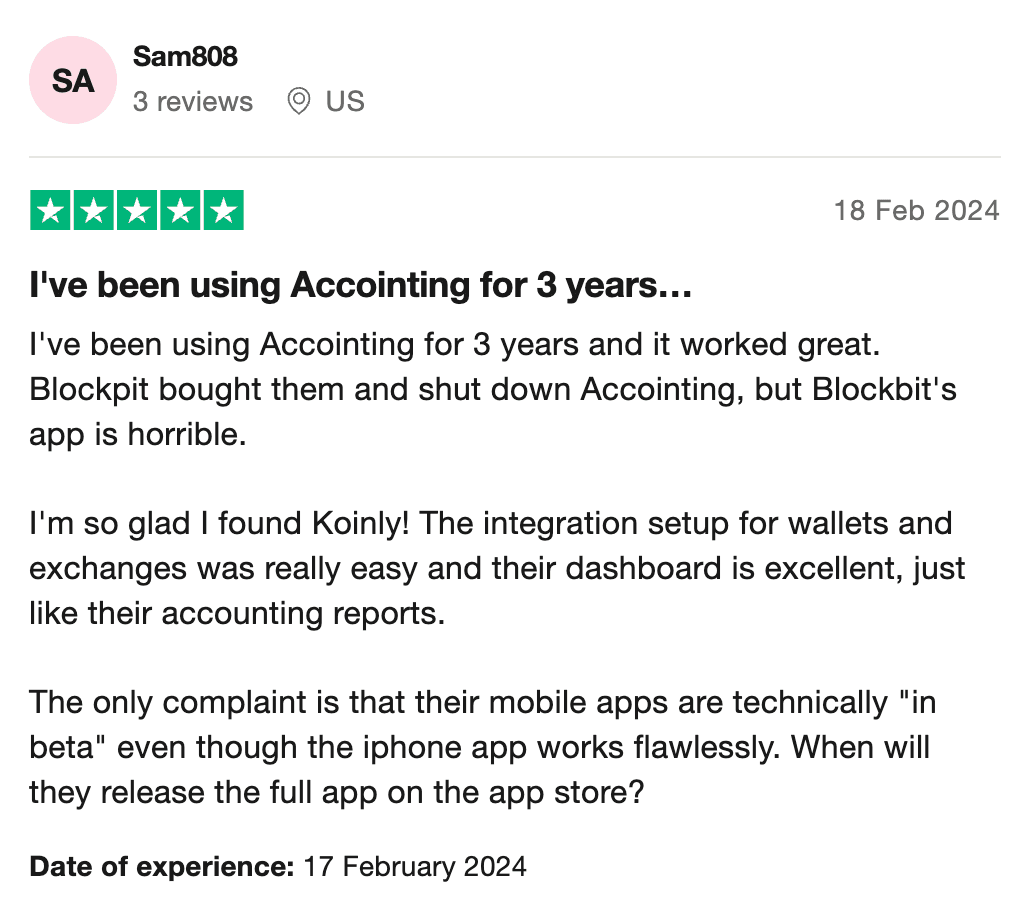
This is understandable, as both software offer email and live chat support, as well as knowledge-packed help centers and community forums. If you’re looking for more professional support, Koinly and Blockpit offer similar expert reviews, which involve experts going through your transaction data to ensure everything was imported correctly and calculations are accurate. Koinly offers this at $499-$1,999, depending on the season, whereas Blockpit is not upfront about the cost, claiming that pricing depends on your needs.
Reputation and security
Both Koinly and Blockpit benefit from strong partnerships across the crypto industry. Koinly is partnered with Binance, MetaMask, Coinbase, Revolut, and more to make crypto tax simpler for all investors. Blockpit partners include Bitpanda, BitMEX, and Bitvavo.
Blockpit acquired competitor Accointing in late 2023, which was not well received by many former Accointing users who commented on the less-than-smooth transition between the platforms.
Crypto tax calculators handle sensitive data, so it’s important to find one that takes security seriously. Koinly is proudly SOC 2 and ISO 27001 certified to keep your data safe. Blockpit, on the other hand, has no publicly available information about its security certifications, but ensures security is a priority.
Neither platform has experienced any direct data breaches to date.
Supported countries
| Koinly | Blockpit | |
|---|---|---|
| USA IRS reports (inc TurboTax) | ✔ | ✔ |
| Canada CRA report | ✔ | ✘ |
| UK HMRC report | ✔ | ✔ |
| Australia ATO report | ✔ | ✘ |
| European reports | ✔ | ✔ |
Koinly and Blockpit both have strong international support, providing country-specific tax reporting files for the US, UK, France, and Switzerland, as well as TurboTax and TaxAct reports. They also offer more country-specific reports across varying European countries, and Koinly caters to Canada and Australia.
When it comes to tax optimization, Koinly takes the lead, allowing all users to customize their tax settings to their needs, including changing the cost basis method. Whereas Blockpit doesn’t allow users to switch between cost basis methods, even in countries where it is permitted.
Conclusion: Which is better?
While Blockpit is a solid platform, Koinly stands out with a better freemium model, allowing users to optimize their taxes before paying, the ability to change tax settings, and more integrations. Although we may be biased, we will continue working hard to ensure our product remains an industry leader.
FAQs
Is Blockpit safe?
Blockpit states that they take security seriously, their data is encrypted, and they employ a third-party security firm to conduct vulnerability scanning. However, they do not provide publicly available information on whether they have any security certifications. They have not experienced a data breach. As always, when it comes to security, it's best to do your own research on best practices to help protect your data.
Is Blockpit free?
Blockpit offers a free plan to import transactions and track your portfolio, but many of their features are only available on their paid plans. Features such as NFT gallery and tax optimization are only available through Blockpit's monthly subscription, Blockpit Plus ($4.99 per month), which is a separate subscription to their Tax Reports plans.
Is Koinly or Blockpit better?
Although Blockpit is a solid option, Koinly is a better choice for the majority of traders, as it handles complex transactions and automatic tagging better, saving users hours of manual work when reconciling their data. Koinly also offers a fully functioning free plan, which includes all features (excluding downloading reports), such as their tax optimization tool and NFT dashboard, that you can access before purchasing a plan.


